Process Documentation
How to Document a Business Process Before You Automate It
Before automating a business process, document the trigger, inputs, owners, handoffs, exceptions, source of truth, review gates, and success metric.
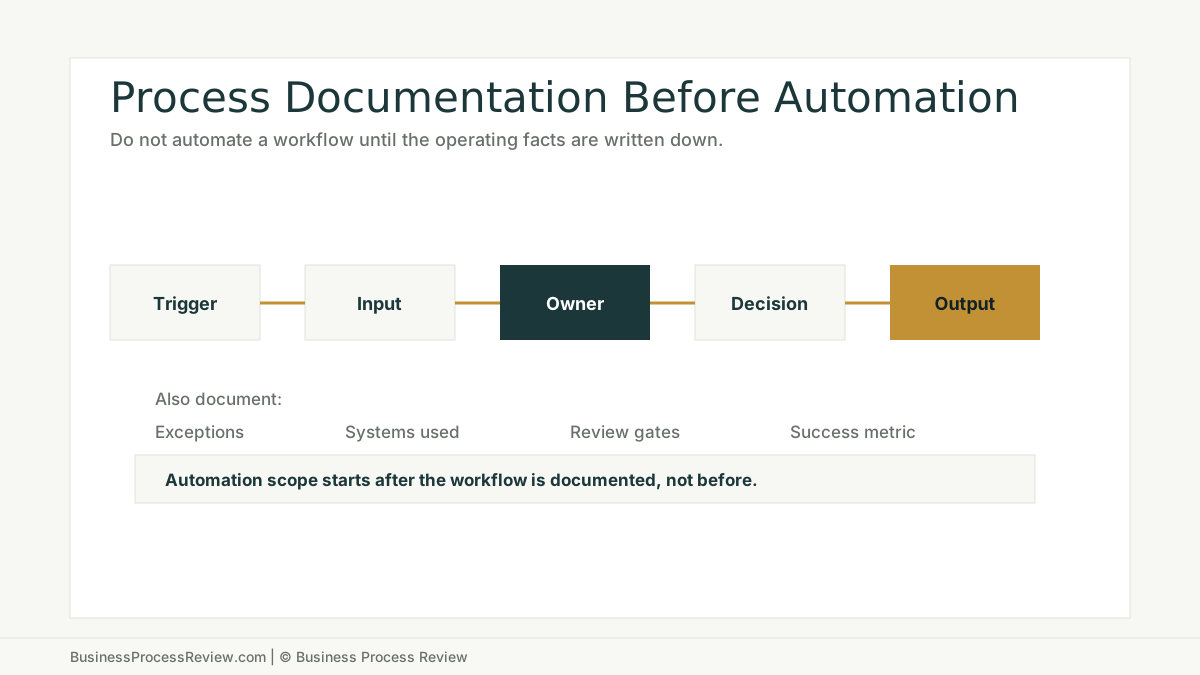
Do not automate a process you cannot explain.
That sounds obvious until you watch a company try to automate work that lives in memory, side spreadsheets, inboxes, and individual habits.
The automation fails.
Then the tool gets blamed.
The real problem was earlier.
The business never documented the workflow well enough to automate it.
The short answer
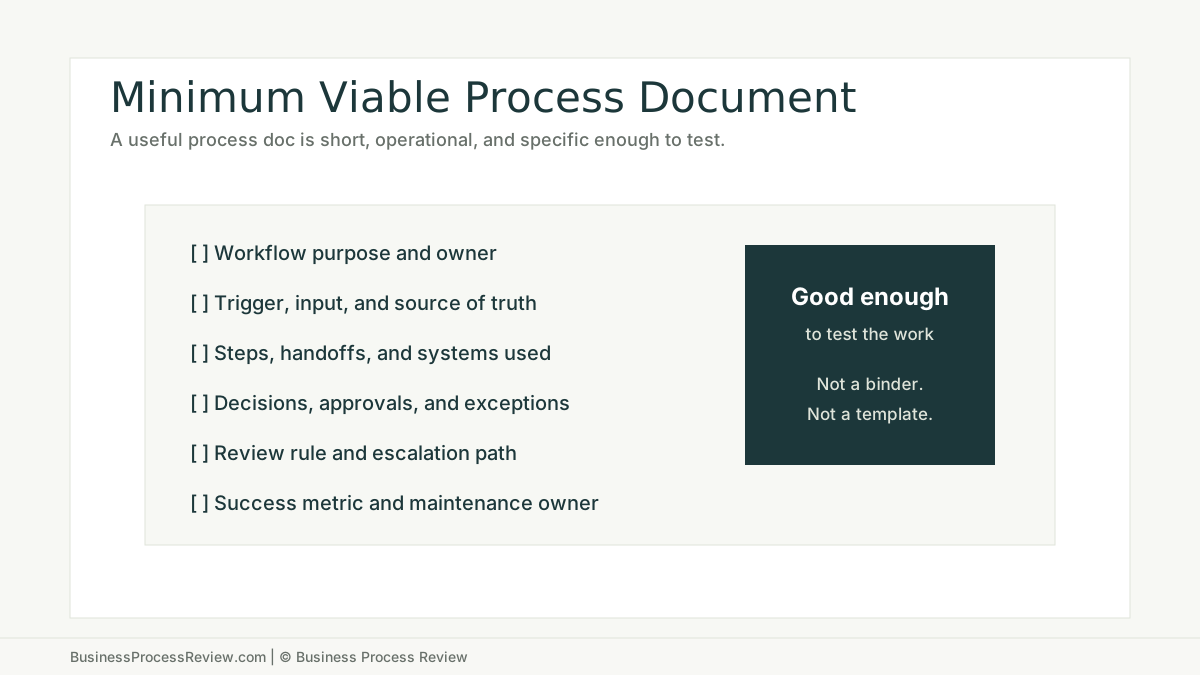
To document a business process before automation, write down:
- why the process exists
- what starts it
- what information is required
- where that information lives
- who owns each step
- which systems are used
- what decisions happen
- what approvals are required
- what exceptions occur
- what happens when data is missing
- what output should be produced
- what success metric proves improvement
This does not need to become a 40-page procedure.
It needs to be clear enough that an operator, manager, and builder can agree on how the work actually moves.
Process documentation is not paperwork
Bad process documentation is theater.
It creates a neat diagram nobody uses.
Good process documentation is operational.
It shows where work starts, where it waits, where it gets reworked, where decisions happen, and where the source of truth lives.
The Object Management Group describes BPMN as a standard notation for specifying business processes. BPMN can be useful when a workflow needs a formal shared language. APQC describes process frameworks as hierarchical lists of key processes that help organizations define, benchmark, and manage work. APQC’s 2025 process frameworks research collection also shows that organizations continue to study how process frameworks are adopted, used, and challenged in practice.
Those standards matter because they reinforce the same point:
If work is important enough to automate, it is important enough to define.
Start with the current state, not the preferred state
Most documentation efforts fail because they document how leadership thinks the process works.
That is not enough.
You need the current state:
- what the customer or internal requestor actually sends
- which fields are often missing
- who checks the work first
- where the data gets copied
- which spreadsheet still matters
- which approval is skipped when the team is busy
- which employee knows the workaround
- which status update triggers the next step
This is why workflow interviews matter. People who do the work know where the system is held together by habit.
If the current-state map ignores those habits, the automation design will be incomplete.
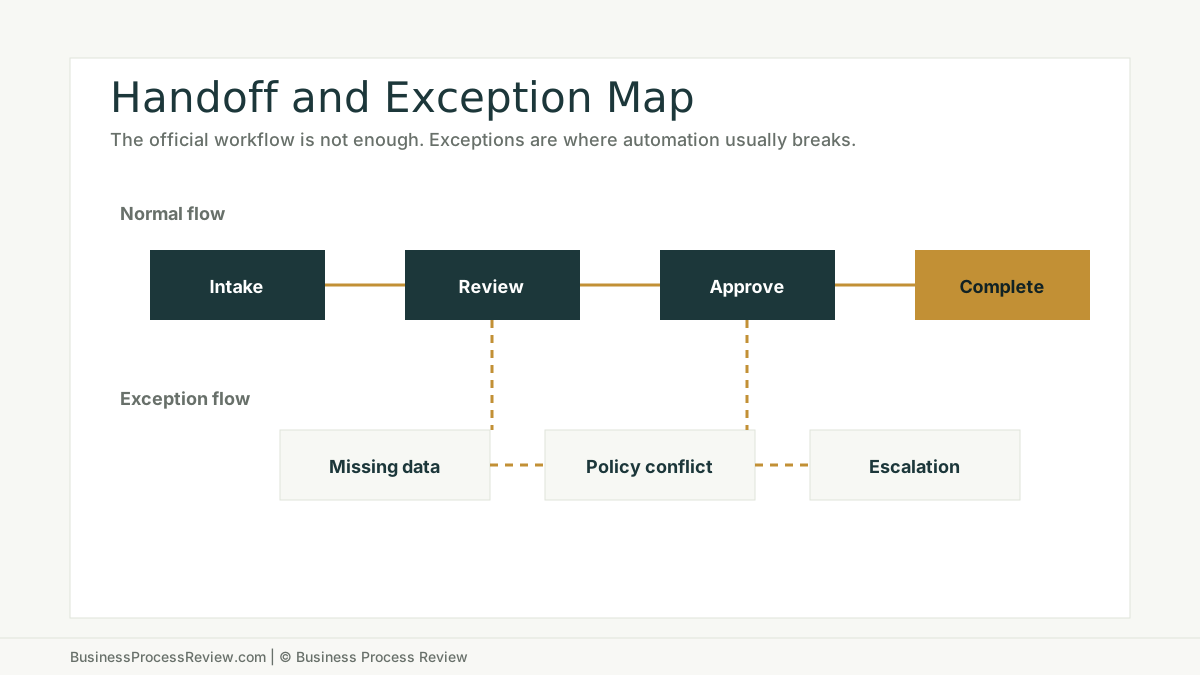
Document the exception path
The happy path is easy.
Automation breaks on the exception path.
Missing attachment.
Wrong customer name.
Duplicate record.
Unclear approval.
Policy mismatch.
Rushed manager.
Customer asking for something outside the standard package.
If those exceptions are not documented, the automation will either stop constantly or make confident mistakes.
Define the source of truth
Automation needs to know which record wins.
If the CRM says one thing, the spreadsheet says another, and the inbox has the newest detail, what should happen?
Do not leave that to the automation builder.
Document:
- the primary record
- the fields that matter
- who can edit them
- what happens when fields conflict
- which system receives the final output
- when a human must review the data
This is especially important for AI automation. NIST’s AI Risk Management Framework is voluntary guidance for incorporating trustworthiness considerations into AI systems. The related NIST AI RMF Playbook organizes suggested actions around Govern, Map, Measure, and Manage.
For an SMB, the practical translation is simple:
Map the use case. Measure whether it works. Manage the risk. Put someone in charge.
Decide what should not be automated
Process documentation should remove bad automation ideas.
Do not automate a step if:
- the work changes every time
- nobody can define a good output
- the data is unreliable
- the decision has high risk
- the workflow has low volume
- the exception rate is high
- the owner cannot maintain the system
This is where how to tell if a process should be automated becomes useful. Documentation tells you what exists. Automation fit tells you what deserves to be built.
Turn documentation into implementation scope
A good process document should produce a narrow implementation scope.
Not “automate onboarding.”
Something like:
- When a completed onboarding form arrives, check required fields.
- If fields are missing, notify the owner with the missing items.
- If complete, create a project record.
- Draft a kickoff summary for human review.
- Assign the first task.
- Track cycle time from form received to kickoff scheduled.
That is buildable.
It has a trigger, input, owner, review point, exception rule, output, and metric.
The bottom line
Documentation is not the opposite of automation.
It is the foundation for automation that survives contact with the business.
If your workflow is undocumented, start there.
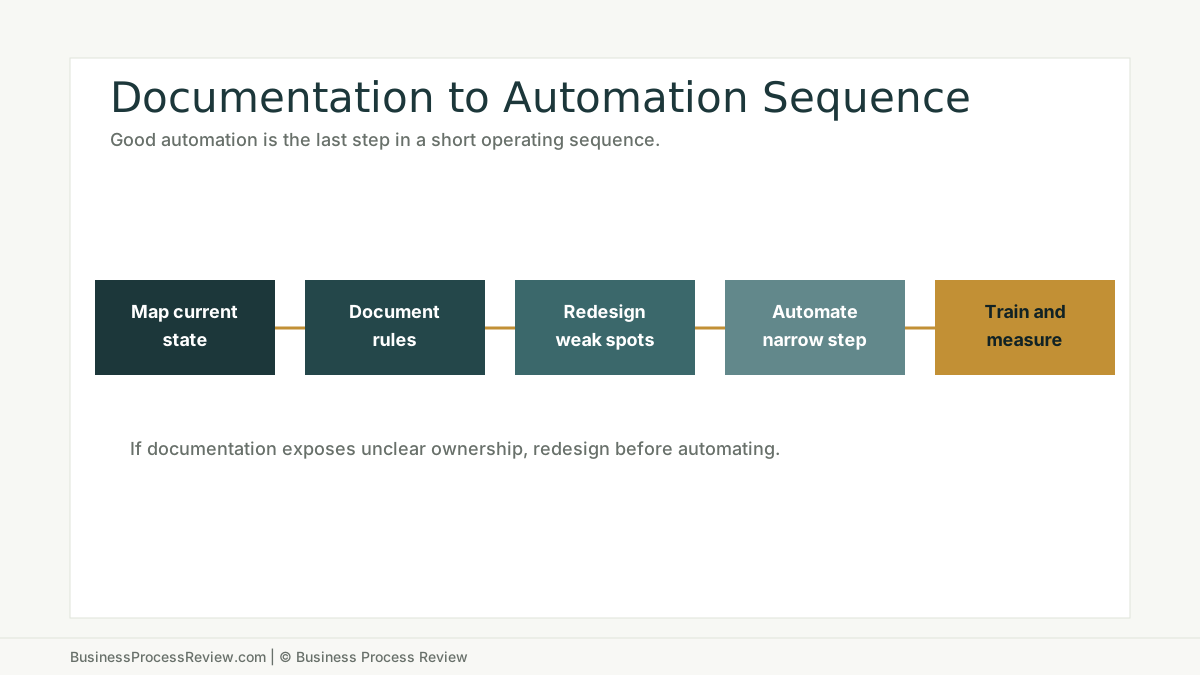
If documentation exposes broken handoffs, redesign the workflow.
If the workflow is clear, repeated, measurable, and owned, then AI automation implementation may be worth scoping.
If you want help turning one messy workflow into a documented automation candidate, book a Business Process Review.

About the Author
Will Gordon
Will Gordon is the founder of Business Process Review and Chief Technology Officer at Billfy. He works on workflow systems, automation, and partnerships in the ServiceNow ecosystem, with a focus on practical operational improvements for growing businesses.
Connect with Will on LinkedInFAQ
Common Questions
How do you document a business process?
Document the workflow purpose, trigger, required inputs, source of truth, owner, steps, handoffs, decisions, approvals, exceptions, systems used, review rule, and success metric.
What should be documented before automation?
Before automation, document the current-state workflow, missing data patterns, exception paths, review gates, owner responsibilities, system boundaries, and what should happen when automation fails.
Is BPMN required to document a process?
No. BPMN can be useful for formal modeling, but many SMBs only need a clear current-state map, an exception map, and a practical operating checklist before automation.
What is the biggest mistake in process documentation?
The biggest mistake is documenting the official process while ignoring the real workarounds employees use to get work done.
When should process documentation lead to redesign instead of automation?
If documentation reveals unclear ownership, inconsistent inputs, frequent exceptions, weak source-of-truth rules, or conflicting approvals, redesign the workflow before automating it.