Business Process Reviews
What a Business Process Review Actually Finds
A business process review finds hidden work, duplicated entry, slow handoffs, unclear ownership, weak source-of-truth rules, and practical automation opportunities.
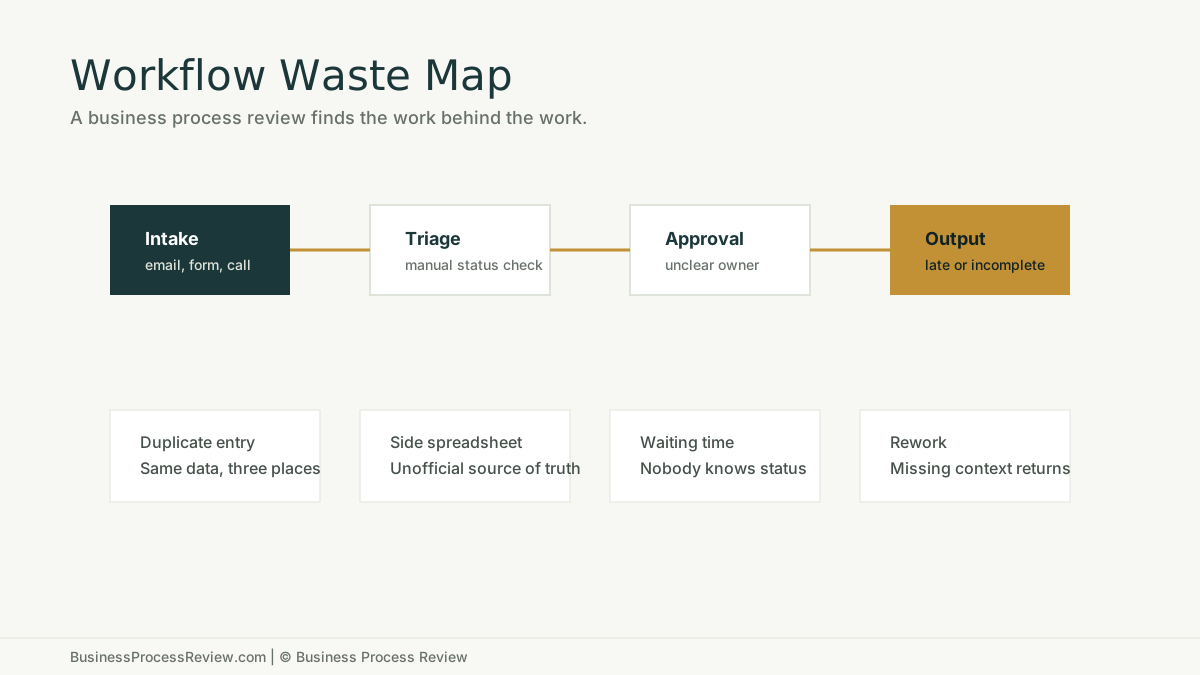
A business process review should find the work nobody put on the org chart.
The side spreadsheet.
The status check.
The approval that happens in a chat thread.
The duplicate entry that everyone hates but nobody owns.
The report that takes three hours because the source data is scattered across four systems.
That is where operational waste lives.
The short answer
A business process review finds how work actually moves through the company and where that movement breaks down.
It should identify:
- manual work
- duplicated entry
- unclear ownership
- slow handoffs
- missing information
- weak documentation
- source-of-truth problems
- tool mismatch
- avoidable rework
- automation opportunities
- adoption and training risks
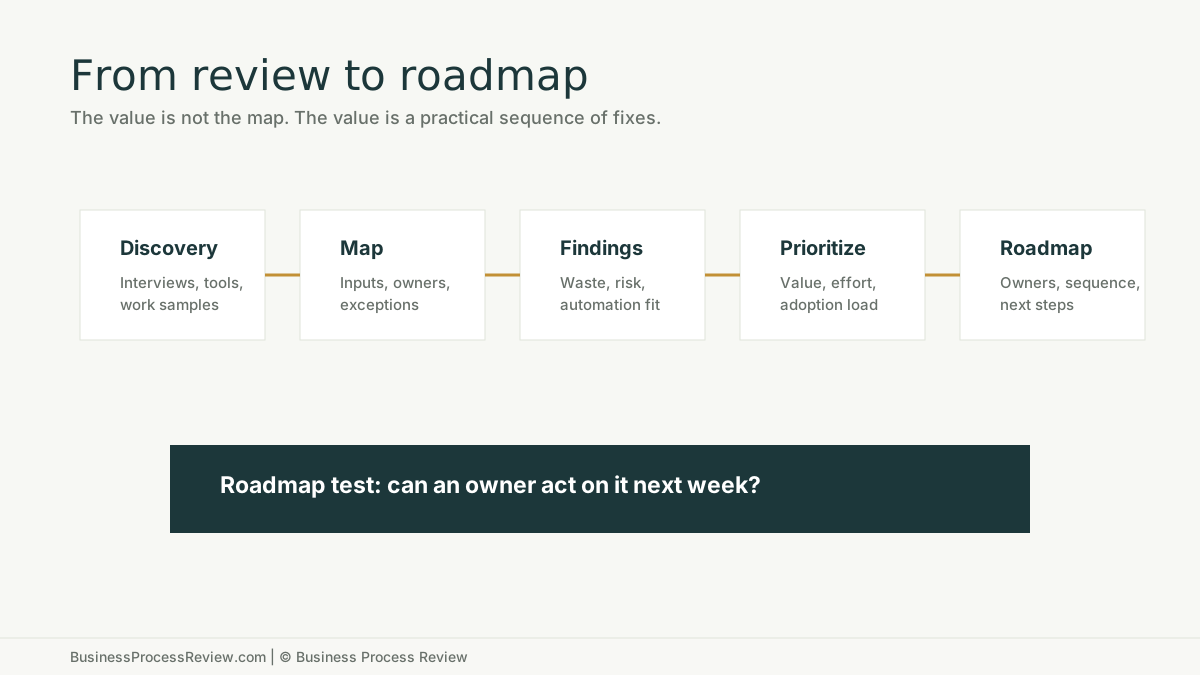
The output should be a practical roadmap, not a decorative process map.
If you already know the business is losing time to manual work, start with the Business Process Review service.
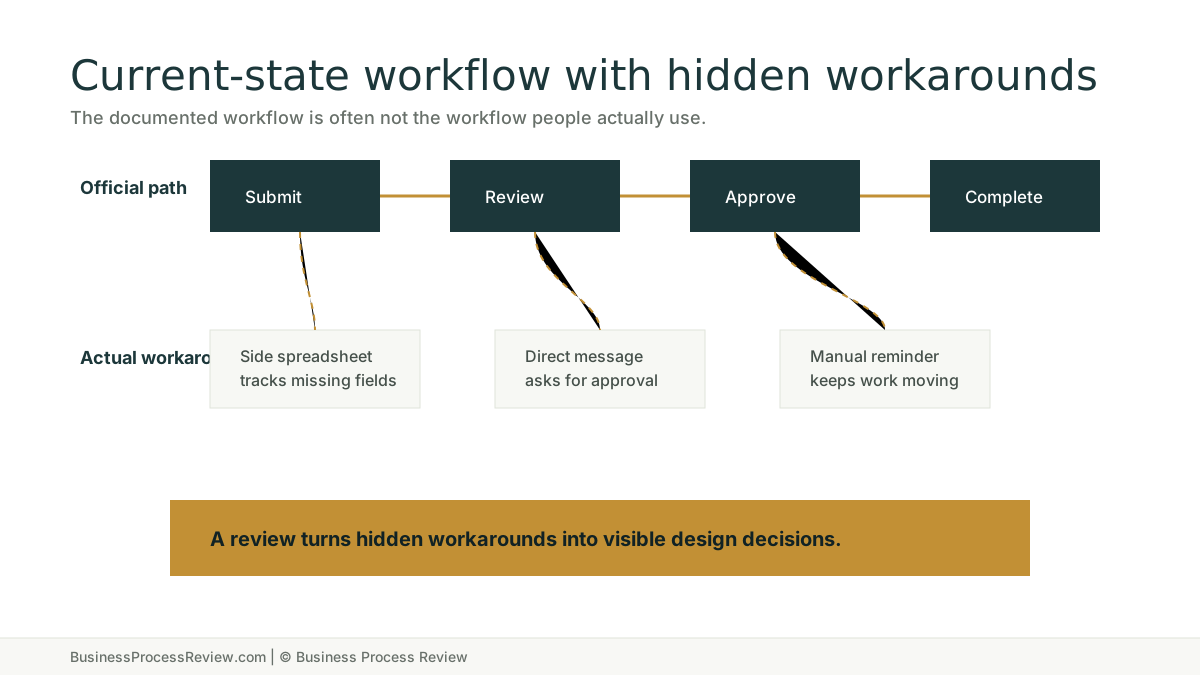
Most reviews find the gap between the official process and the real process
The official process is what leaders think happens.
The real process is what employees do to get the work out the door.
Those two are often different.
Visual South describes a business process review as a project that identifies operational areas that can be enhanced and provides practical solutions to improve software use or procedures. Their article also separates “as is” and “as should be” review work. That distinction matters. A good review starts with the current state before recommending the future state.
ISM’s 10-step business process review method also starts with current-state processes before moving into feedback, workshops, future-state flows, and recommendations. The order is right. You cannot fix what you have not seen clearly.
Finding 1: duplicated data entry
Duplicated entry is one of the easiest problems to see and one of the hardest to eliminate without redesign.
It often looks like:
- customer information entered into a form, then a CRM, then a spreadsheet
- candidate details copied from email into an ATS and then into a client submittal
- invoice data entered into accounting software and a project tracker
- project updates copied from a field note into a report
The problem is not only keystrokes. It is disagreement between systems.
Once two systems both claim to be true, employees spend time reconciling, checking, and asking which record is current.
Finding 2: unclear ownership
Many workflows slow down because nobody owns the next step.
This does not always mean no one cares. It often means the process was never designed.
Unclear ownership shows up as:
- “I thought they had it.”
- “We are waiting on approval.”
- “Nobody told me it was ready.”
- “That usually goes to Sarah.”
- “I check the spreadsheet when I remember.”
The review should name the owner for each step, especially exceptions.
Automation cannot fix ownerless work. It can only route ownerless work faster.
Finding 3: slow handoffs
Handoffs are where margin disappears.
The work may take ten minutes, but the handoff waits two days.
Common causes:
- missing intake fields
- unclear status
- too many approval steps
- handoffs across email
- no priority rule
- no escalation path
- customer or vendor information trapped in one person’s inbox
Business Success Consulting Group’s overview of business process reviews emphasizes understanding existing processes before identifying bottlenecks and improvement opportunities. That is the right frame. Handoffs are not always visible until the workflow is traced end to end.
Finding 4: weak source-of-truth rules
A source of truth is not just a system.
It is a rule the team trusts.
The review should answer:
- Where does the customer record live?
- Where does job status live?
- Where does the approved document live?
- Where does the latest quote live?
- Where does the final decision live?
- Who can change it?
- What happens when systems disagree?
If the answer is “it depends,” the business has a source-of-truth problem.
This matters before automation. AI document processing, routing, reporting, and internal assistants all depend on reliable business context.
Finding 5: hidden manual administration
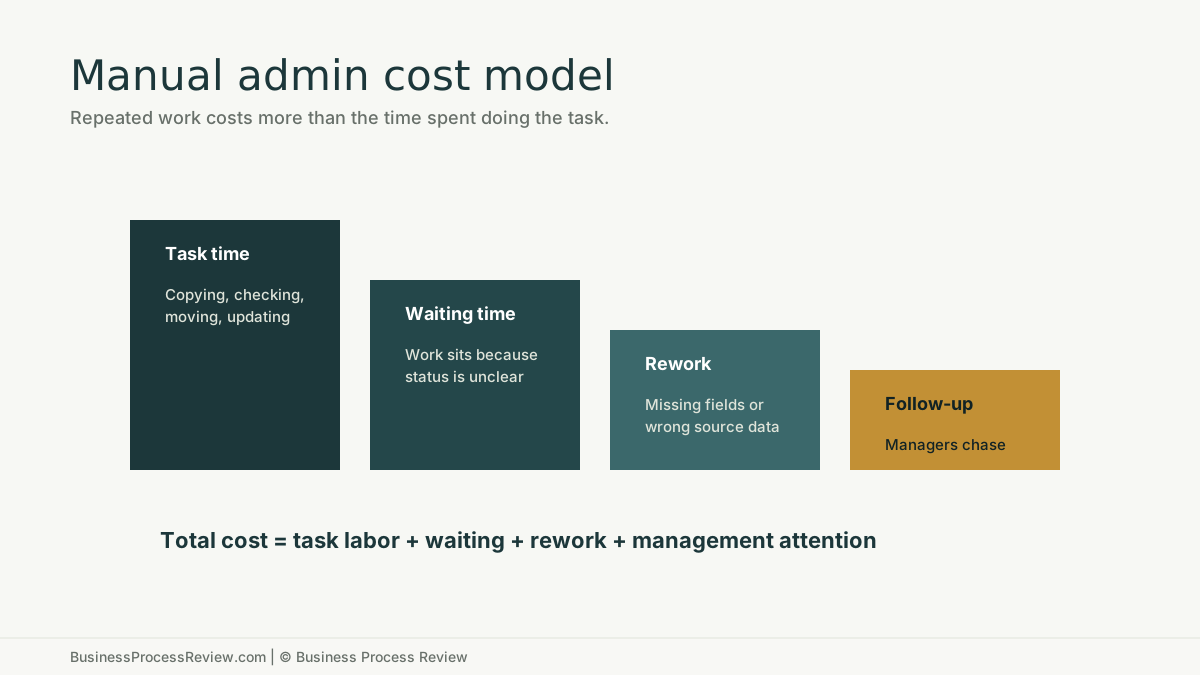
Manual administration rarely appears as one giant problem. It appears as dozens of small steps.
Examples:
- check an inbox
- download an attachment
- rename a file
- copy fields
- update a tracker
- send a reminder
- ask for missing information
- summarize a status update
- build a weekly report
The U.S. Bureau of Labor Statistics OEWS program can help companies ground labor-cost assumptions by occupation. But the review has to capture the internal reality: how often the work happens, how long it takes, who does it, how often it creates rework, and who has to follow up.
Finding 6: tool mismatch
Sometimes the tool is fine and the process is bad.
Sometimes the process is fine and the tool is wrong.
The review should distinguish between the two.
Tool mismatch looks like:
- using spreadsheets as a workflow system
- using email as an approval queue
- using a CRM as a project management tool
- using chat as the source of truth
- buying a tool but keeping the old workaround
The answer is not always more software. Often the first fix is deciding which system owns which part of the work.
Finding 7: automation candidates
The review should identify where automation makes sense.
Strong candidates usually include:
- high-volume intake
- document extraction
- routing
- reminders
- status updates
- report preparation
- summaries
- internal knowledge lookup
- handoff notifications
Weak candidates include:
- unclear processes
- high-judgment decisions
- low-volume work
- work with unreliable source data
- steps nobody owns
- workflows with no review gate
That is why AI automation implementation should follow diagnosis. The review finds the targets. Implementation builds only what is worth building.
Finding 8: adoption risk
The best workflow design can still fail if people do not use it.
Adoption risk appears when:
- employees do not understand why the process changed
- managers keep asking for old reports
- the new workflow is slower for the person doing the work
- exceptions are not handled
- training is generic
- people do not trust AI output
- no one watches the first few weeks after launch
This is why process improvement needs follow-through. A roadmap that ignores adoption is a wish list.
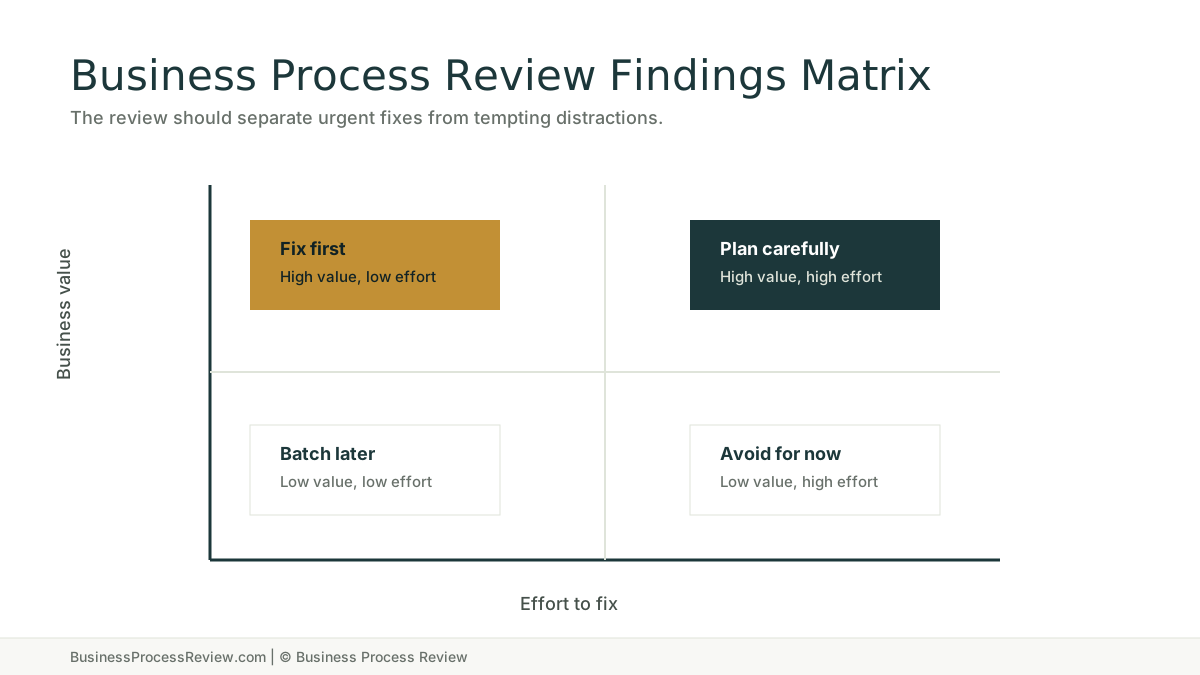
The review should turn findings into priorities
Not every finding deserves immediate action.
The review should sort fixes by:
- business value
- effort
- risk
- adoption load
- dependency
- automation fit
- owner availability
What the roadmap should include
A useful roadmap should include:
- the workflow reviewed
- current-state findings
- manual work inventory
- source-of-truth notes
- priority fixes
- automation opportunities
- owner assignments
- dependencies
- training needs
- measurement plan
What a business process review is not
It is not a generic brainstorm.
It is not a software demo.
It is not a document that lists complaints.
It is not an AI strategy deck.
It is a structured review of how work moves, where it breaks, and what should be fixed first.
When to book a review
Book a review when the company has operational drag but no shared diagnosis.
Good fit signals:
- work depends on memory
- handoffs are slow
- spreadsheets run important workflows
- employees copy data between tools
- managers chase status
- AI interest exists but no one knows where to start
- reporting takes too long
- customers or internal teams wait because ownership is unclear
Business Process Review helps map the workflow, find the waste, prioritize fixes, and identify automation opportunities where they make sense.
If that is the problem inside your company, book a Business Process Review and start with the work as it actually happens.

About the Author
Will Gordon
Will Gordon is the founder of Business Process Review and Chief Technology Officer at Billfy. He works on workflow systems, automation, and partnerships in the ServiceNow ecosystem, with a focus on practical operational improvements for growing businesses.
Connect with Will on LinkedInFAQ
Common Questions
What is a business process review?
A business process review is a structured review of how work actually moves through a company, including workflows, handoffs, tools, owners, bottlenecks, documentation gaps, and improvement opportunities.
What does a business process review find?
It usually finds duplicated entry, slow handoffs, unclear ownership, hidden workarounds, weak source-of-truth rules, unnecessary approvals, training gaps, and automation opportunities.
Is a business process review the same as workflow mapping?
Workflow mapping is part of a business process review. The review should also evaluate bottlenecks, labor waste, data quality, ownership, automation fit, and implementation priorities.
How long should a business process review take?
The scope depends on company size and workflow complexity. A focused review can examine one high-value workflow first, then expand if the findings justify more work.
What happens after a business process review?
The next step should be a prioritized roadmap. Some fixes may involve documentation or workflow redesign. Others may lead to AI automation implementation, training, or ongoing support.